
Add-in only
Cabinet Layout for Fusion
$29
- The Cabinet Layout for Fusion add-in
- Works with my face frame cabinets
- Frameless support coming soon
New · Autodesk Fusion add-in · Version 0.1
Without opening Change Parameters.
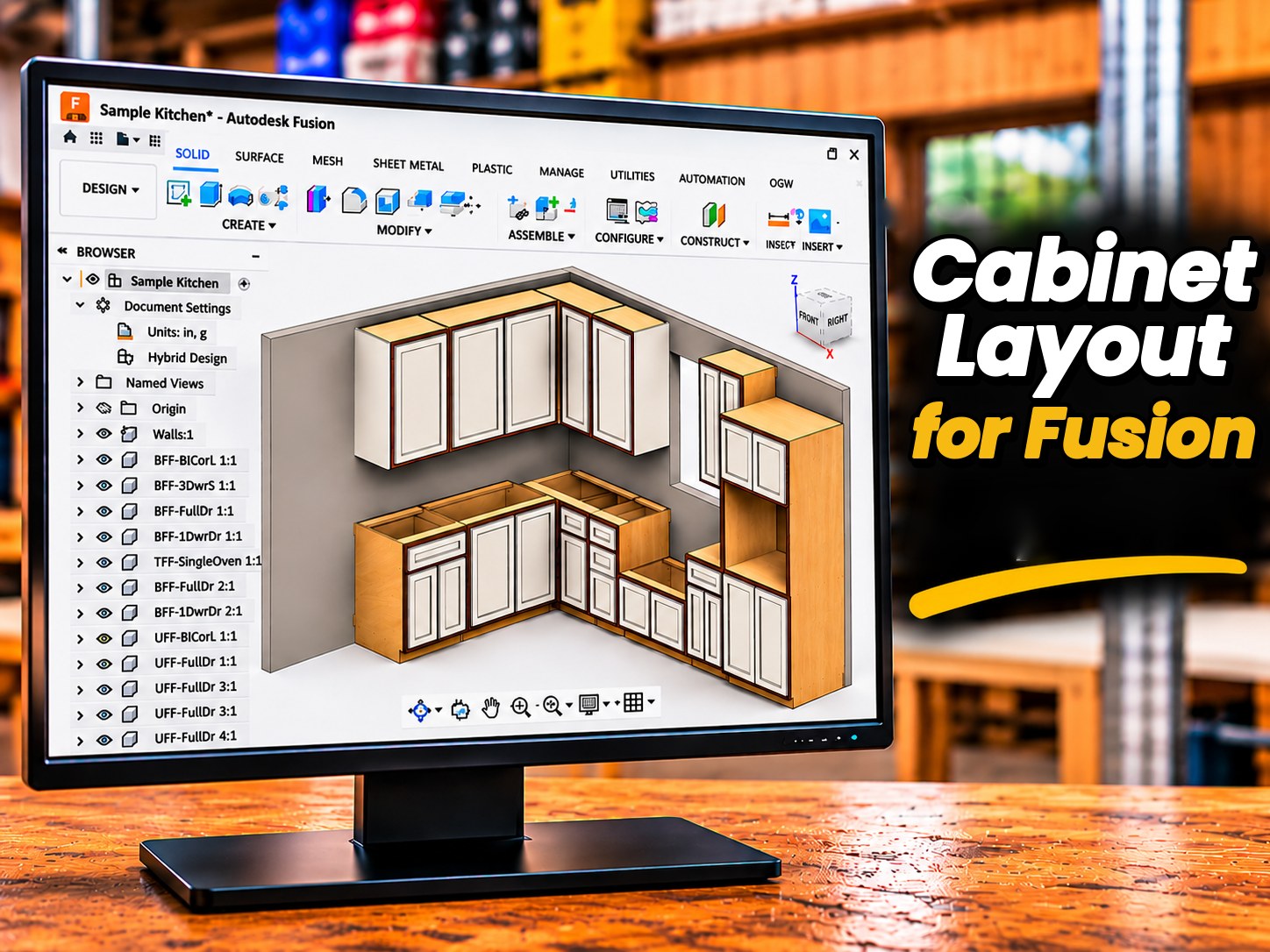
Cabinet Layout for Fusion draws the room, puts the cabinets in, sizes them in shop words, and puts them where they belong. Walls, windows, blind corners, uppers, oven towers, all from one panel.
Works with my face frame cabinet library. Frameless is coming soon.
What it does
Sizing a library cabinet in Fusion means digging through about fifty parameters, and a second copy puts an underscore on every name. Cabinet Layout for Fusion does that part for you.
See it in action
How it works
Pick the project and folder, click Find cabinets, and set the job defaults.
Name it and pick where it goes. It makes the design and saves it once.
Type the inside wall lengths, then add windows where you need them.
Pick a cabinet, type its sizes, and tell it where to go. It lands tight to the last one.
Right-click any cabinet to edit or move it. It checks for collisions every time.
Pricing
One-time purchase. No subscription.
Add-in only
$29
Add-in + cabinets
$59
$68 separately · Save $9
Design to cut list
$79
$97.99 separately · Save $18.99
Already have Optimizer 3.0 and a Core Pack? The $29 add-in is all you need. Prefer just the Optimizer and Core Pack? See the $54.99 bundle.
Good to know
It's early, and I'm adding to it a little at a time. Tell me what you'd want it to do next.
It sizes and places the cabinets in my face frame cabinet library. Every one was size-tested to find where it breaks. I'm working on frameless support next.
It saves the new job once when it starts it. After that, you save your design the way you always do.
Cabinet Optimizer 3.0, in the Complete Bundle, runs on Windows 64-bit.
Need help? Contact support.